

Products

Compliance Officer Service Expert-led compliance, end to end Compliance Portal Share security documents securely Document Management Draft, approve, and sign your policies Employee Portal Your whole team’s compliance, in one portal Access Review Monitor user access across all your systems AI Agents Run compliance from the tools you use Cookie Banner Consent that follows every visitor's law Device Agent Continuous security posture for every device Open-source platform Deploy Probo on your own infrastructure

Resources

Probo stories How teams get compliant with Probo Blog Ideas and guidance from the Probo team Guides & tools Practical compliance guides and free tools Love from Customers What customers say about working with Probo Changelog Latest product updates Download Get the Device Agent

Company

About The people and vision powering Probo Careers Join the team building Probo Brand assets Official logos and visual resources Security Review our security and compliance posture
Overview Understand Probo and its core concepts Product Explore Probo's GRC capabilities Developers Explore GraphQL, CLI, MCP, n8n, and webhooks Deployment Probo Cloud, self-hosting, and configuration

Explore

GitHub Explore our open-source compliance tools
Changelog
Governance

Task comments in the activity timeline

Task comments now sit alongside task activity, so collaborators can read the conversation in context and manage comments from the same timeline. Comments appear in chronological order and can be edited or deleted.
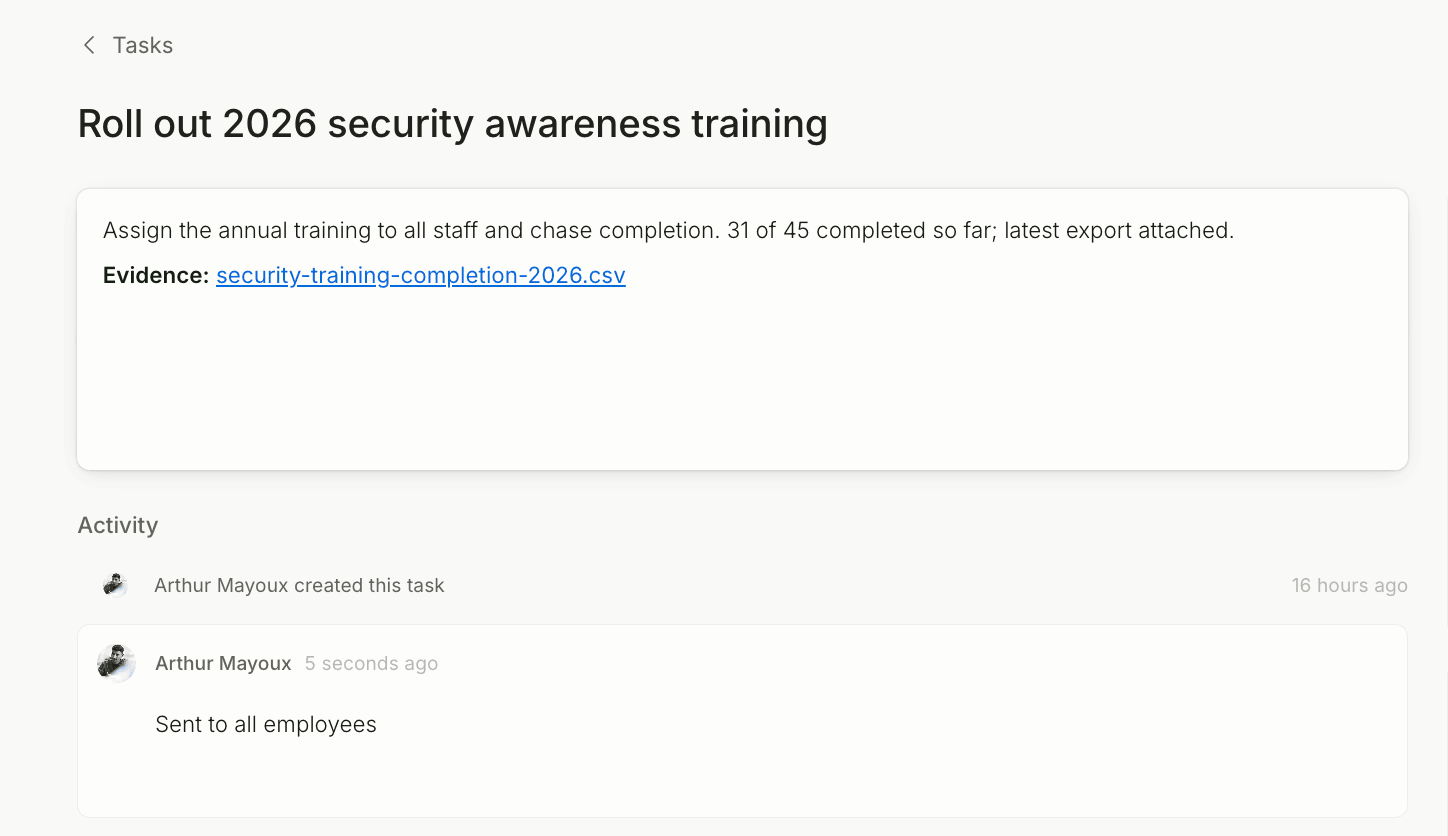
Task comments in the activity timeline screenshot

Task comments now appear in the activity timeline, alongside changes made to the task. The conversation stays with the work it belongs to, in chronological order.

Comments can be edited or deleted from the timeline. This adds discussion to the task history that already records field changes.